
初めに
前回の記事でUnitree Go2の学習環境を整えたので、どのようにコードを変更していけばいいかを説明していきたいと思います。
そもそも何を変更すればいいの?
基本的にIsaacLabでは、
python/scripts/skrl/train.py --task=$YOUR_TASK # 訓練

python/scripts/skrl/play.py --task=$YOUR_TASK  # プレイ
の二つのスクリプトを使用するのですが、この二つのコードを直接いじるわけではない点にまず注意が必要です。
▼ train.py の中身の詳細(クリックで展開)
@hydra_task_config(args_cli.task, agent_cfg_entry_point)

def main(env_cfg: ManagerBasedRLEnvCfg | DirectRLEnvCfg | DirectMARLEnvCfg, agent_cfg: dict):

    """Train with skrl agent."""

    # override configurations with non-hydra CLI arguments

    env_cfg.scene.num_envs = args_cli.num_envs if args_cli.num_envs is not None else env_cfg.scene.num_envs

    env_cfg.sim.device = args_cli.device if args_cli.device is not None else env_cfg.sim.device

    if args_cli.distributed and args_cli.device is not None and "cpu" in args_cli.device:

        raise ValueError(

            "Distributed training is not supported when using CPU device. "

            "Please use GPU device (e.g., --device cuda) for distributed training."

        )

    if args_cli.distributed:

        env_cfg.sim.device = f"cuda:{app_launcher.local_rank}"

    if args_cli.max_iterations:

        agent_cfg["trainer"]["timesteps"] = args_cli.max_iterations * agent_cfg["agent"]["rollouts"]

    agent_cfg["trainer"]["close_environment_at_exit"] = False

    if args_cli.ml_framework.startswith("jax"):

        skrl.config.jax.backend = "jax" if args_cli.ml_framework == "jax" else "numpy"

    if args_cli.seed == -1:

        args_cli.seed = random.randint(0, 10000)

    agent_cfg["seed"] = args_cli.seed if args_cli.seed is not None else agent_cfg["seed"]

    env_cfg.seed = agent_cfg["seed"]

    log_root_path = os.path.join("logs", "skrl", agent_cfg["agent"]["experiment"]["directory"])

    log_root_path = os.path.abspath(log_root_path)

    print(f"[INFO] Logging experiment in directory: {log_root_path}")

    log_dir = datetime.now().strftime("%Y-%m-%d_%H-%M-%S") + f"_{algorithm}_{args_cli.ml_framework}"

    print(f"Exact experiment name requested from command line: {log_dir}")

    if agent_cfg["agent"]["experiment"]["experiment_name"]:

        log_dir += f'_{agent_cfg["agent"]["experiment"]["experiment_name"]}'

    agent_cfg["agent"]["experiment"]["directory"] = log_root_path

    agent_cfg["agent"]["experiment"]["experiment_name"] = log_dir

    log_dir = os.path.join(log_root_path, log_dir)

    dump_yaml(os.path.join(log_dir, "params", "env.yaml"), env_cfg)

    dump_yaml(os.path.join(log_dir, "params", "agent.yaml"), agent_cfg)

    resume_path = retrieve_file_path(args_cli.checkpoint) if args_cli.checkpoint else None

    if isinstance(env_cfg, ManagerBasedRLEnvCfg):

        env_cfg.export_io_descriptors = args_cli.export_io_descriptors

    env_cfg.log_dir = log_dir

    env = gym.make(args_cli.task, cfg=env_cfg, render_mode="rgb_array" if args_cli.video else None)

    if isinstance(env.unwrapped, DirectMARLEnv) and algorithm in ["ppo"]:

        env = multi_agent_to_single_agent(env)

    if args_cli.video:

        video_kwargs = {

            "video_folder": os.path.join(log_dir, "videos", "train"),

            "step_trigger": lambda step: step % args_cli.video_interval == 0,

            "video_length": args_cli.video_length,

            "disable_logger": True,

        }

        env = gym.wrappers.RecordVideo(env, **video_kwargs)

    env = SkrlVecEnvWrapper(env, ml_framework=args_cli.ml_framework)

    runner = Runner(env, agent_cfg)

    if resume_path:

        runner.agent.load(resume_path)

    runner.run()

    env.close()
強化学習フローのイメージ
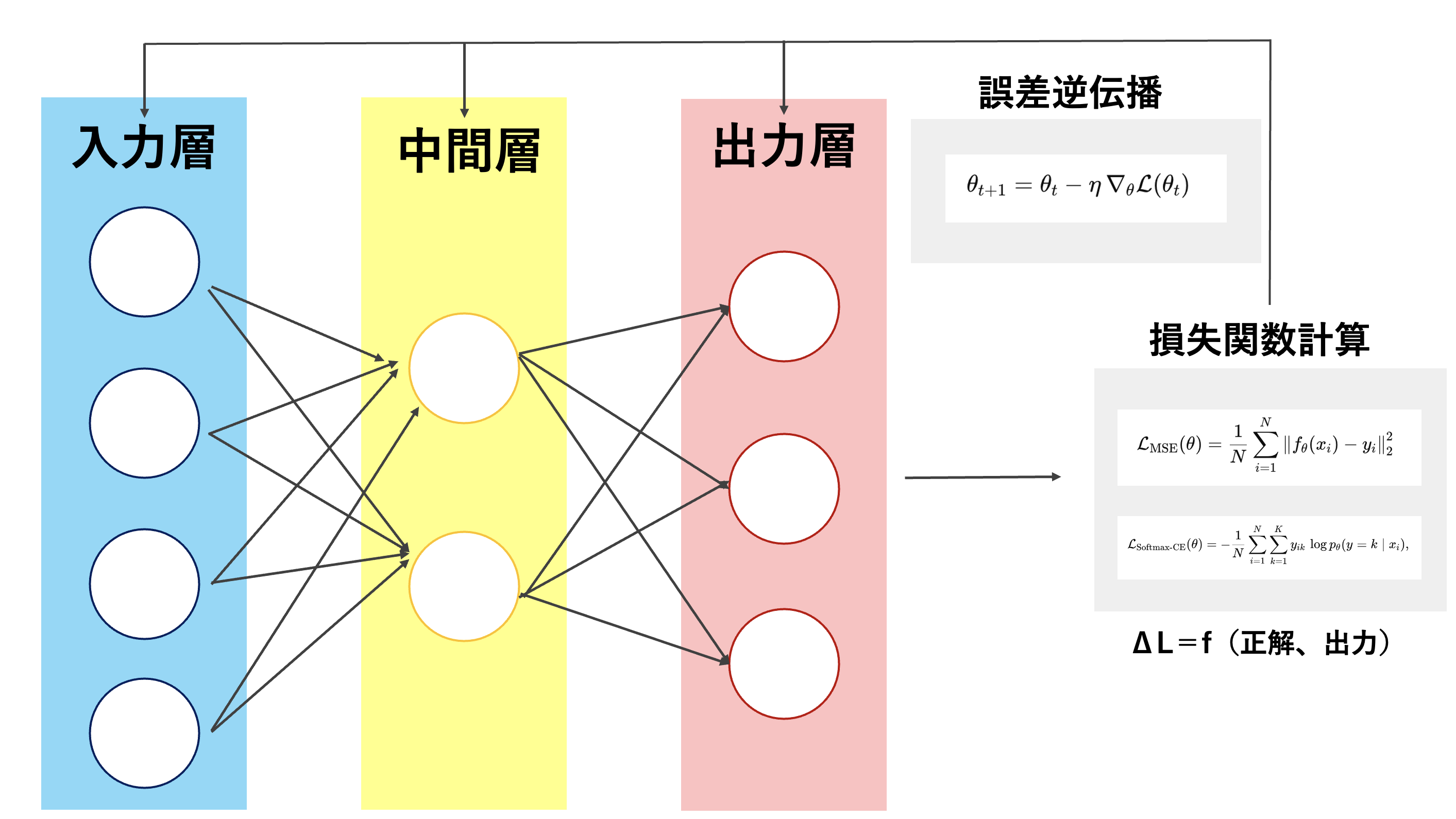
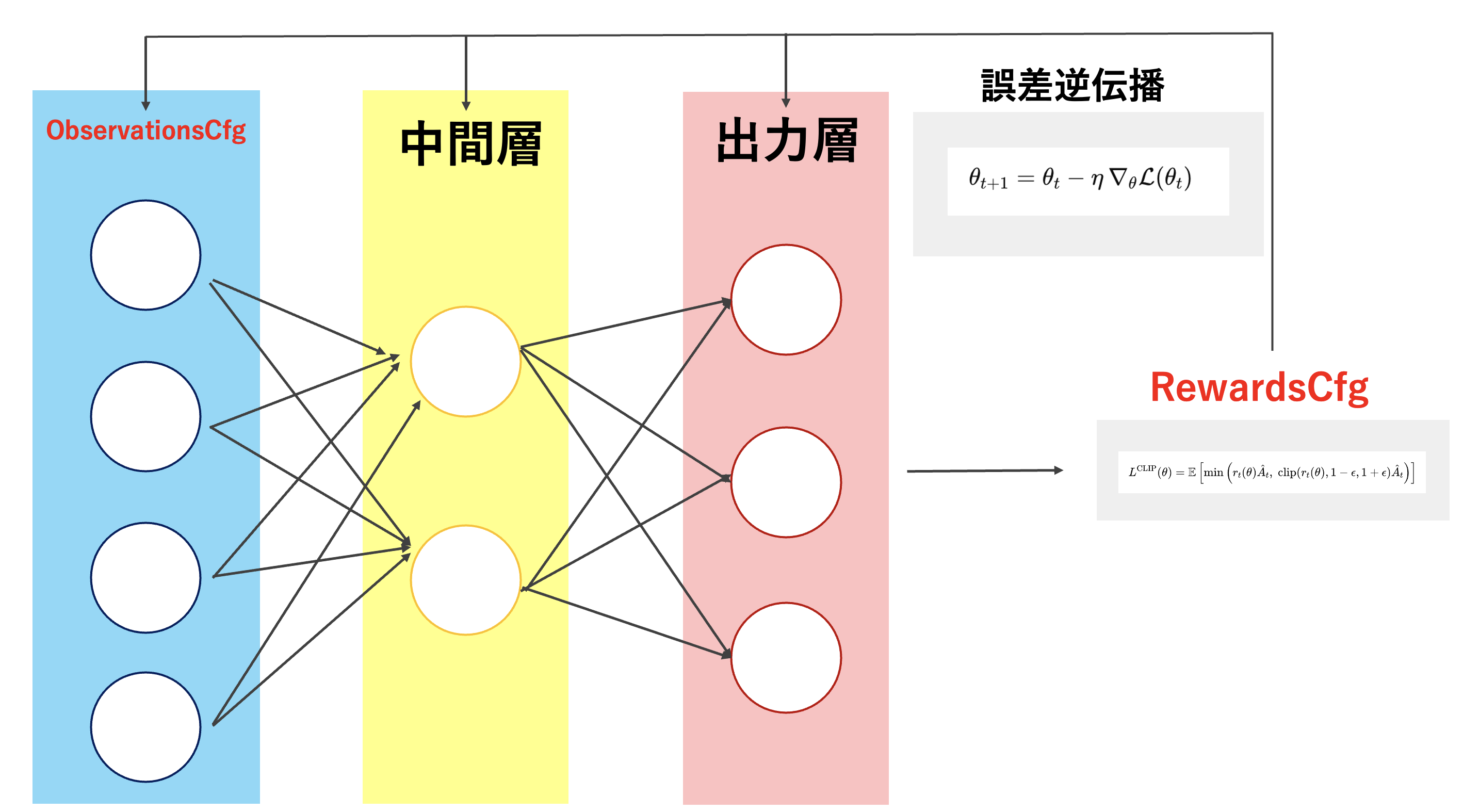
それぞれのCfgの説明
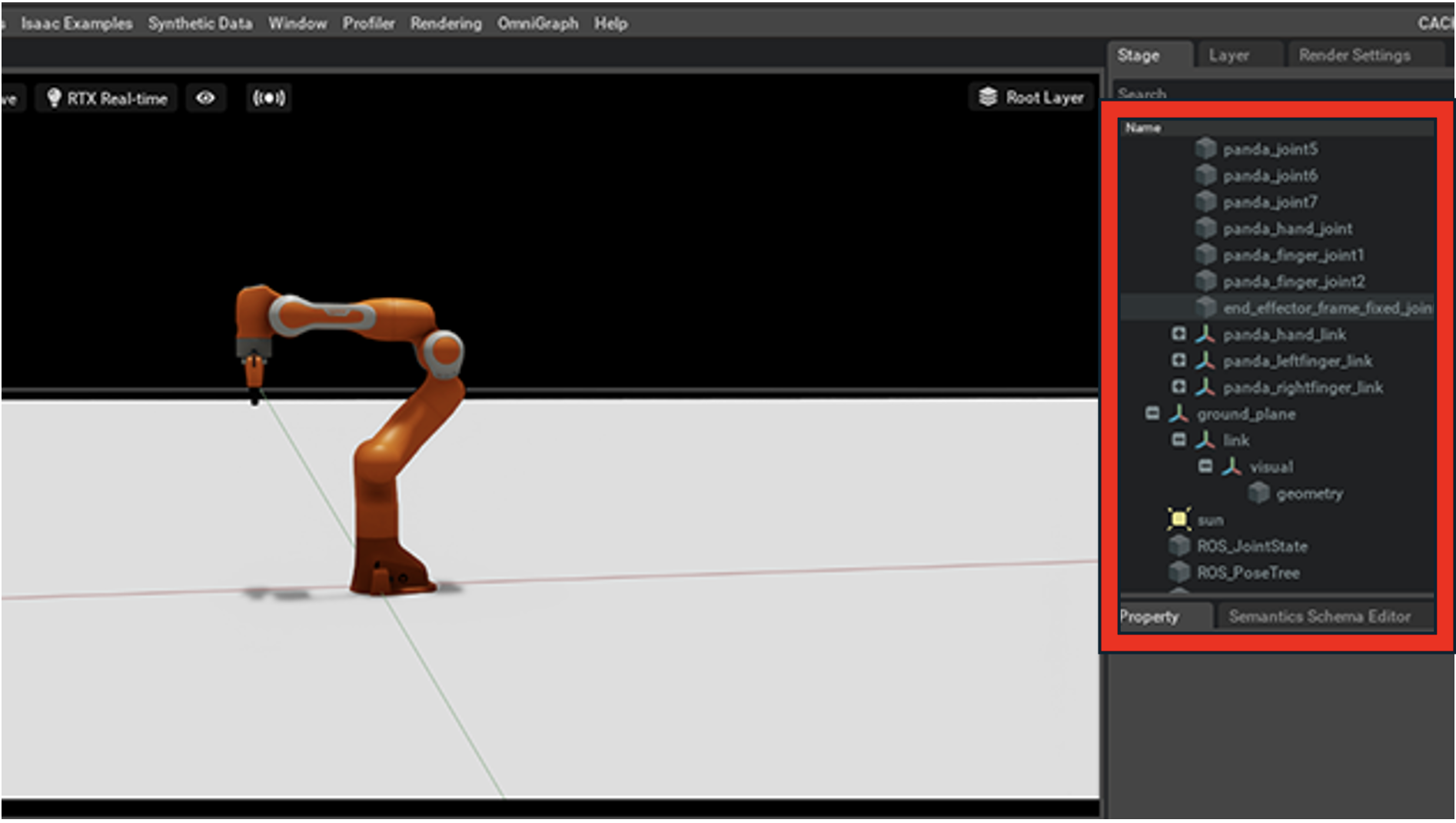
InteractiveSceneCfg
UnityのHierarchy + Inspector相当。
ObservationsCfg
ニューラルネットの入力層。
RewardsCfg
損失関数相当。
TerminationCfg
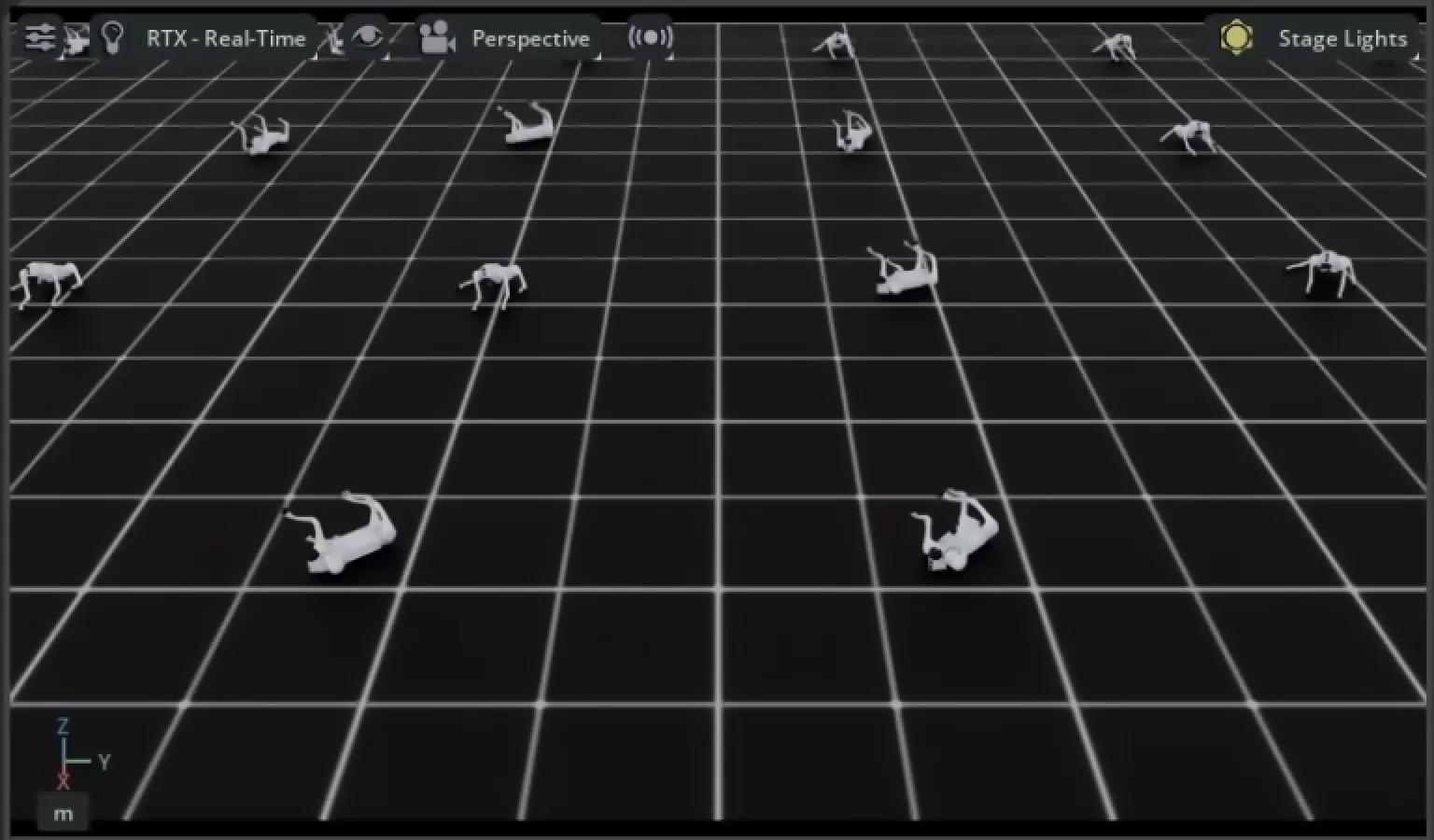
CurriculumCfg
カリキュラム学習用設定。
終わりに
ここまでで基本的な強化学習の設定手法が理解できてきたので、いよいよ実際にUnitree Go2を強化学習していきたいと思います!
前回の記事
この記事は
[Isaac Lab 2025】コードベースで読み解くUnitree Go2強化学習の実装と理解:準備編]
の続きです!